Blog · Car Brain / Product / Release
Car Brain: a logbook for the car you own
See fuel, servicing and parking in one monthly recap. Scan a fuel receipt on your phone and set a reminder for your insurance renewal. Free, with no ads.
What did you spend on your car last month, once you count the garage and the parking as well as the fuel?
The fuel receipt is in the glovebox, the garage invoice in a folder, and the insurance payment somewhere in your bank history. I kept my car records in Excel, Google Sheets and a Google Drive folder, then tried another app. I wanted one place to see what I spent on the car and compare one month with the next. That’s why I built Car Brain.
It is a personal logbook for the car you own. Log refuels, services and other costs, and set a reminder before the next thing is due. Version 3.3 is out on Android. iPhone runs version 3.1, with 3.3 on its way. The same account also works in the browser at car-brain.com.
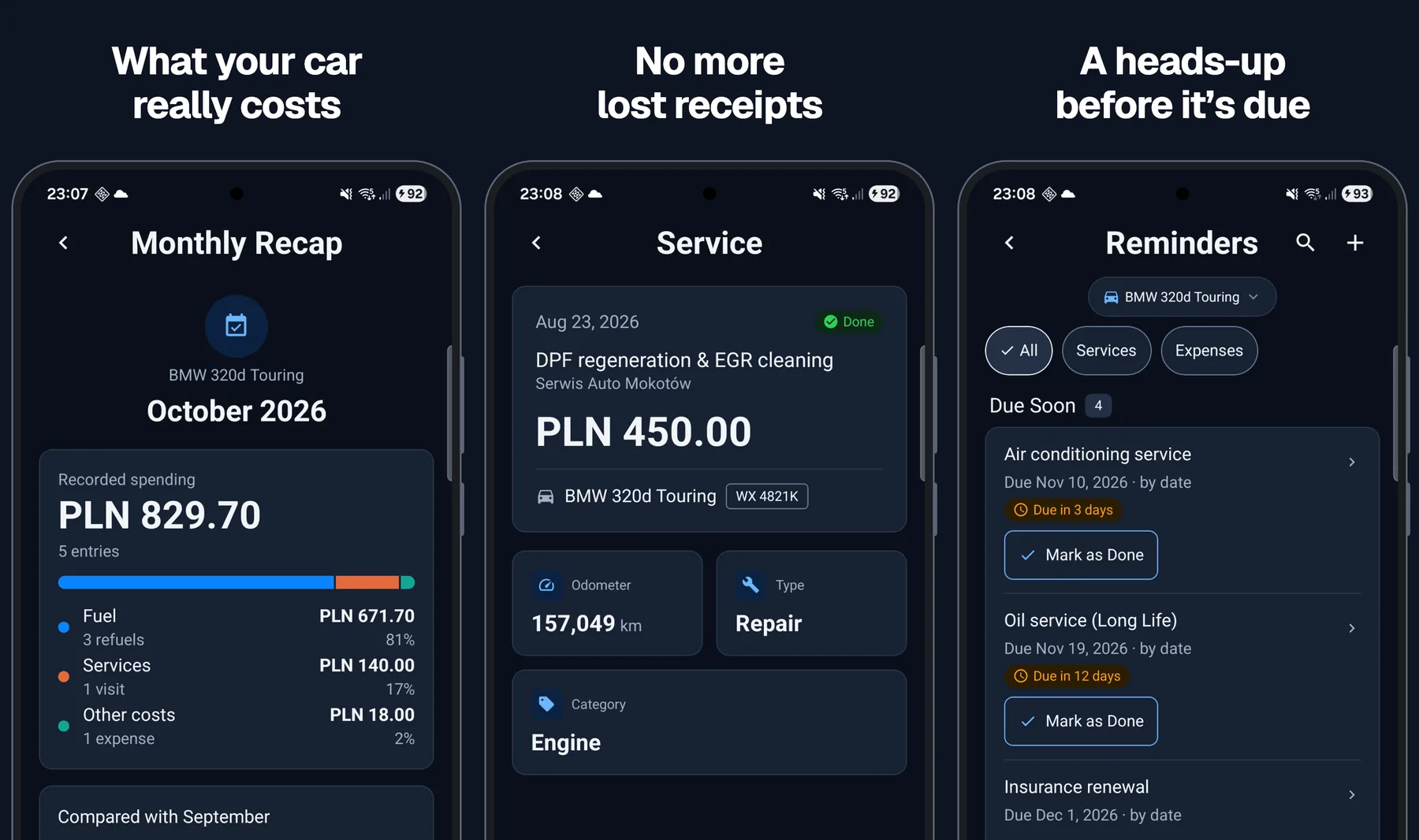
What your car really costs
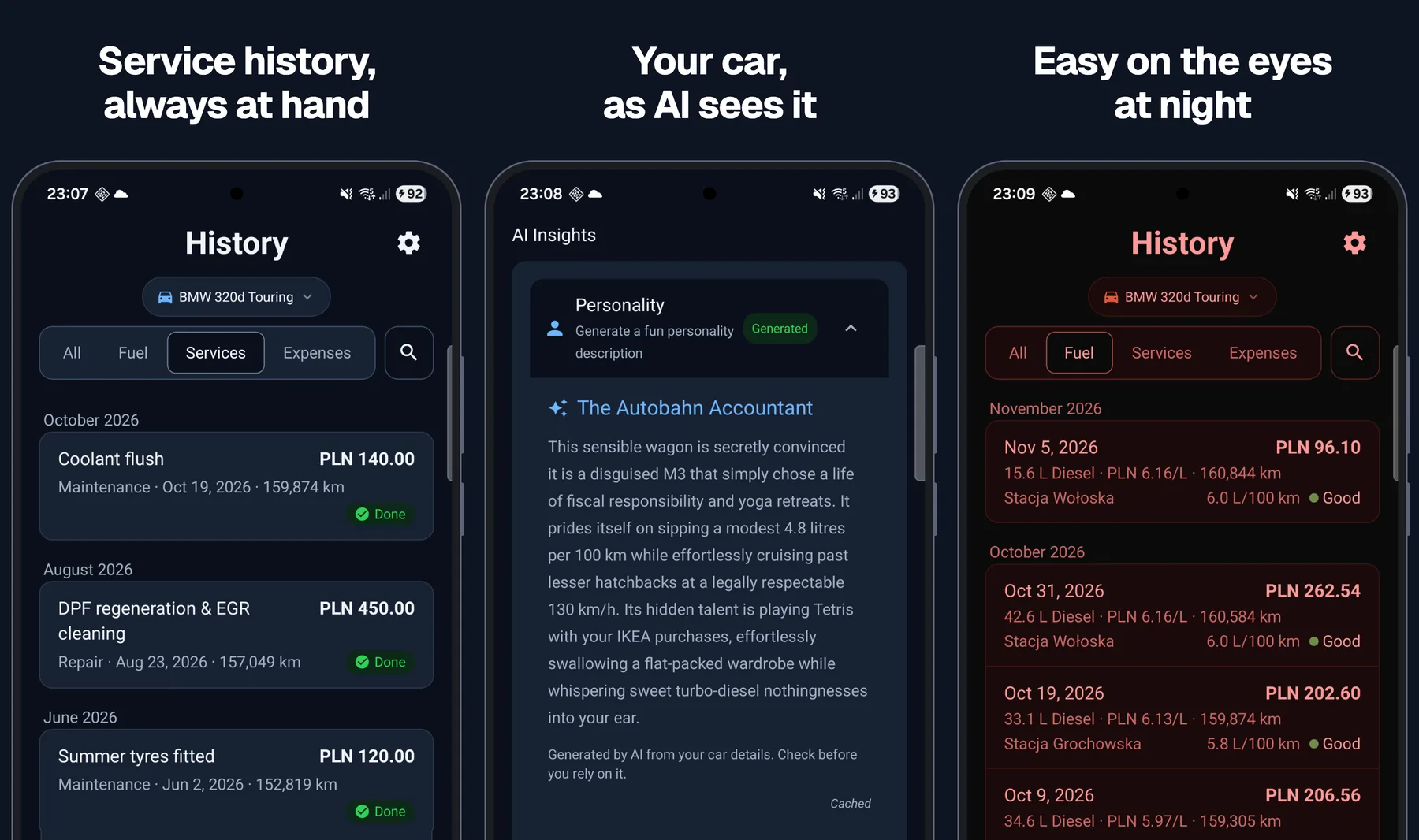
Every refuel, service and other cost lands in one history, newest first, grouped by month. Parking, insurance, washes and other costs sit next to fuel and services. You can attach a receipt photo to any entry.
The recap shows your recorded spending on fuel, servicing and other costs side by side. You can see how each category compares with the previous month.
Log fuel in litres and charging in kWh. Mark full tanks to see your real fuel consumption between fills, not the number on the brochure.
Photograph the receipt, check the form
Typing a fuel receipt into a phone at the pump is nobody's hobby. So on your phone, take a photo of the fuel receipt, and Car Brain fills in the station, fuel type, litres, price per litre, total and date on the refuel form.
Check the details, enter the mileage, confirm whether you filled the tank and save. The scan never saves anything on its own, and it never guesses your odometer or whether you filled the tank, because a receipt does not say. Each account gets up to 3 scans in any rolling 24-hour period. If you want the engineering behind it, I wrote it up in The model writes a draft. You save the record.
A heads-up before it's due
Oil change, inspection, insurance renewal: set a reminder by date or by kilometres, once or repeating.
A dated reminder can alert you on the phone a week before and on the day. A kilometre reminder shows how far you have left; it does not send an alert.
AI that knows your model
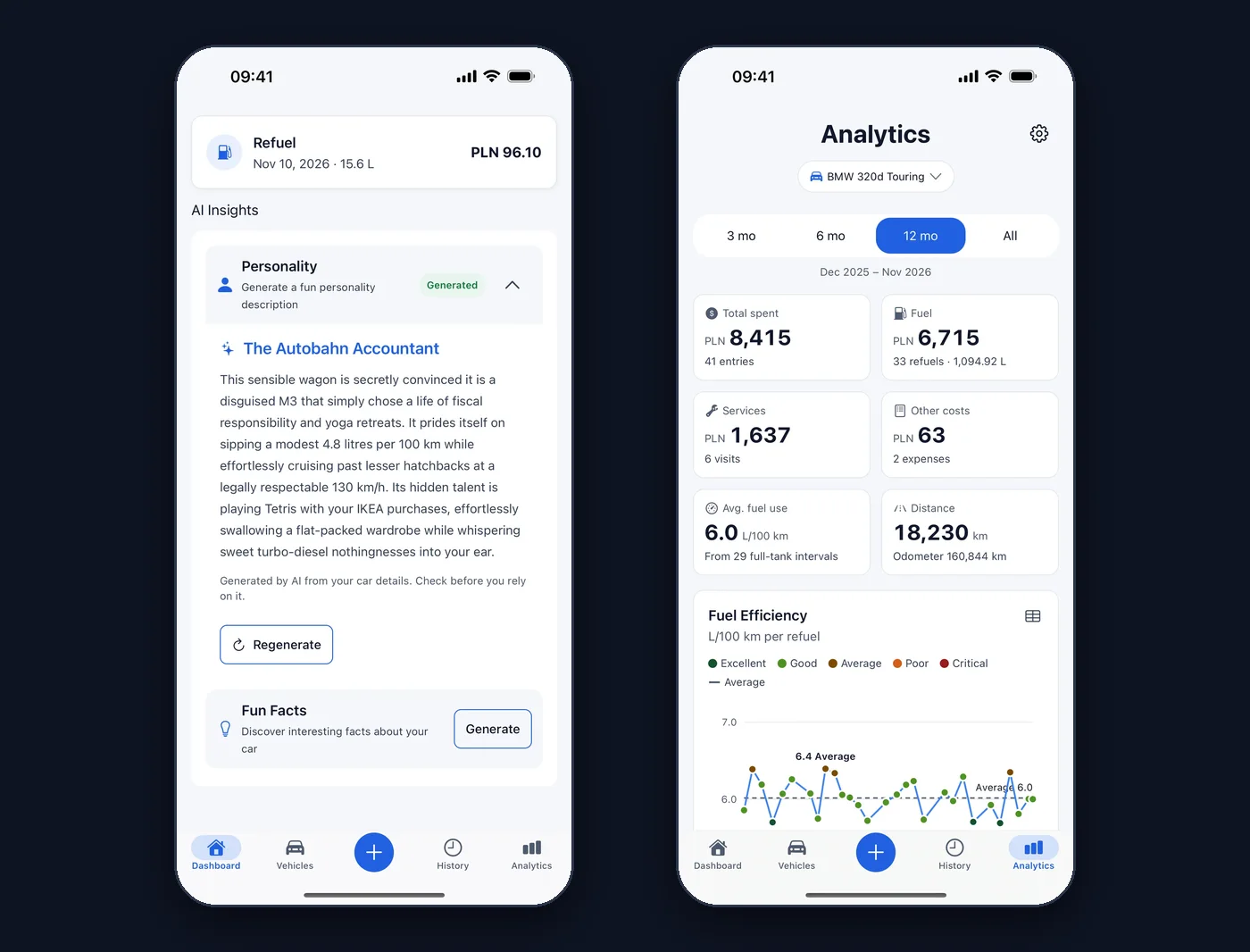
The Dashboard has AI Insights in four flavours:
- Personality. A playful portrait of your model, with a nickname. The BMW 320d Touring in the sample data became The Autobahn Accountant.
- Fun Facts. Five things you probably did not know about your car.
- Analytics. Insights about the model, recommendations and comparisons with its rivals.
- Maintenance. Service tips and a list of things worth checking on a car of that age.
The AI writes from the make, model and year, not from your logbook, so read it as a tip, not a diagnosis. Your own numbers live on the separate Analytics screen: spending, average fuel use and a chart from your refuels, over the last 3, 6 or 12 months or your whole history.
Phone, web and your old logbook
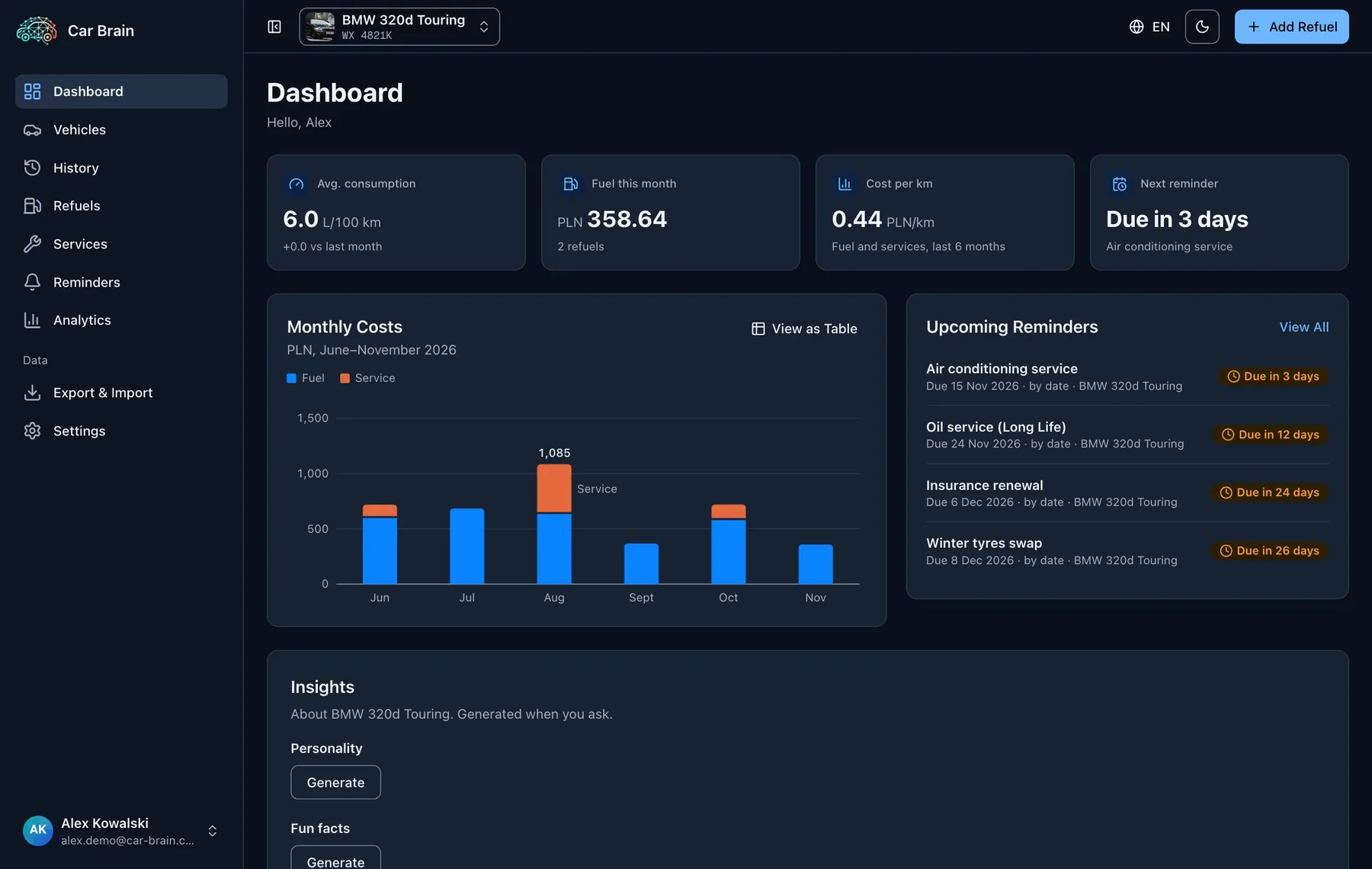
The same account and the same history open on Android, iPhone and at car-brain.com. Long edits are easier on a big screen; a refuel is easier on the phone.
Coming from Drivvo? Open your export file on the Car Brain website to see which entries you can bring across before you import them. Leaving is just as easy: export the cars you choose as spreadsheets or as one backup file.
Free, no ads, and your data stays yours
Car Brain is free, with no ads. A paid Pro plan is on the roadmap. Nothing is on sale today.
- Your records are private to your account. Only your account can read them, and they are not sold or used for advertising.
- No usage tracking. I do not collect usage statistics. Crash reports carry the error and your account ID, not your email, name, VIN, photos or costs.
- Leave whenever you like. Delete the account and its data from inside the app or on the website.
Also in the box: add a car from its VIN, several cars, amounts kept in the currency you entered, English and Polish, and a Night driving theme you can switch to after dark.
Try it
| Where | What you get |
|---|---|
| Google Play | The full app, with receipt scan and reminder alerts |
| App Store | The app on iPhone; version 3.3 is on its way |
| car-brain.com | The same account in the browser, plus Drivvo import. No receipt scan or alerts |
If something is wrong or missing, tap the bug button in the app (on iPhone from version 3.3). It sends me your note, with a screenshot if you want one.
This article covers Car Brain 3.3 on mobile. The screenshots use sample data.